
Hey Prepper...
Cute Docs.
What's your plan, ctrl+f?
“I have a PDF for that” is not the same as “I’m prepared.”
Most of us already have the Knowledge Libraries — PDFs, Docs, field manuals, checklists, books — stacked on drives like a digital bunker.
HOW DO YOU USE IT?
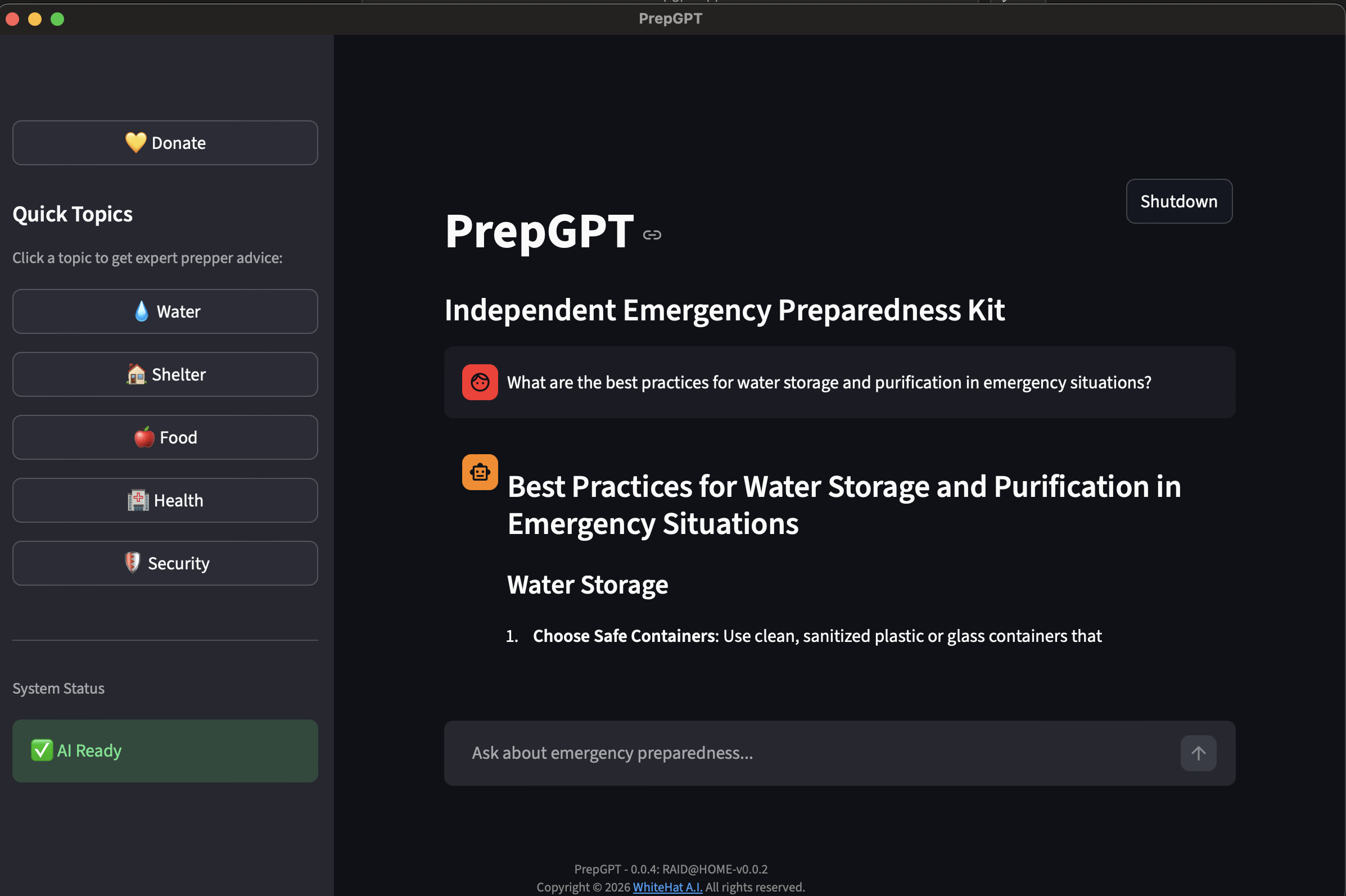
PrepGPT's Pre-Trained library turns documents into something operational: you ask a plain-language question,
PrepGPT your AI Prepper Librarian kicks off a plan with priorities, actions, and checklists.
PrepGPT turns your hoarded manuals into clear, incident-style actions—offline, dependable, and stress-proof.
PrepGPT LLM Library Alpha v0.0.3
📚 LLM LibraryReleased: February 28, 2026
- Initial curated knowledge base covering natural disasters, medical triage, and emergency shelter
- 200+ emergency preparedness references indexed and embedded
- Field manuals, survival guides, and first-aid protocols included
- Optimized prompt routing for calm, incident-style responses
- Foundational domain coverage: fire, flood, hurricane, grid-down, and trauma care
PrepGPT Alpha v0.0.4
📋 Release LogReleased: February 28, 2026
- Launched Website https://prepgpt.app
- Support the project — a Donate button is now built into the app
- Fixed the app name not displaying correctly on some systems
- Backend improvements for faster, more reliable AI responses
- Groundwork laid for offline document import (PDF, Word, PowerPoint) — coming soon
Why you need PrepGPT
Reliable guidance when your connection can’t be trusted.
Bring the power of AI off-grid
Most people aren’t short on preparedness information. They’re buried in it. PDFs. Field manuals. Books. Checklists. Notes. A hard drive full of “good stuff.” And then a real incident happens. No power. No signal. No time.
- PrepGPT exists for that moment.
- PrepGPT is a portable survival library that runs locally. You ask one question in plain language and PrepGPT, your AI Librarian, returns a calm, incident-style plan: priorities, actions, and checkpoints.
- Not a lecture. Not a search result. The next right move.
Answers you can execute
The prepper weak spot is not gear. It’s time and decision pressure. When you’re cold, tired, and stressed, a folder full of documents becomes a liability. You will not open ten PDFs and cross-reference three guides. You will guess. You will improvise. You will burn time.
- PrepGPT turns your archive into something operational.
- It makes your knowledge usable when it matters.
The problem PrepGPT solves
A survival library is only useful if you can:- find the right answer fast
- understand it under pressure
- apply it without missing critical steps
- letting you search by plain-language questions
- synthesizing relevant steps into one coherent plan
- presenting actions with checkpoints so you can verify and course-correct
How to use PrepGPT
Simple as three steps.
Power's out. Internet's dead. You're not "researching"—you're moving. That's why PrepGPT ships as one ZIP. Keep the ZIP (the app builds) and your PrepGPT data folder (your offline library) together, and you can run PrepGPT on almost any machine you can scavenge: USB Drive, spare laptop, neighbor's old desktop, even that ghost computer from the closet. No scrolling filenames, no "I swear I saved it." Just priorities, actions, and checkpoints—now.
🔒 Why it works offline
PrepGPT ships as one ZIP. Keep it with your data folder and run it on any machine you can scavenge — USB, spare laptop, neighbor's desktop, ghost computer from the closet. No internet needed. macOS + Ubuntu today; more coming.
📦 Store PrepGPT Everywhere
- Store the ZIP in more than one safe place
- USB in a Faraday bag
- External drive
- SD Card in your wallet
One is none. Keep a dedicated “offline kit” USB with PrepGPT.
⚡ Build your kit
Local: (MacOS/Ubuntu):- Install PrepGPT on your computer.
- Keep local or copy your prepgpt_data on USB
- Create a Apple USB Partition
- Install PrepGPT on the USB partition
- Create a bootable Ubuntu ISO
- Boot direct into PrepGPT on any X86 Hardware
How to report Bugs
Help us improve PrepGPT.
Report a Bug
🐛 Bug ReportTo submit a bug, we are currently using Discord. Send a direct message with the tag #bug and include the following so we can reproduce and fix it quickly:
- What happened — a clear description of the bug or unexpected behavior
- Steps to reproduce — exactly what you did before the issue appeared
- Expected vs. actual result — what you expected to happen and what actually happened
- Your setup — OS (macOS / Ubuntu), PrepGPT version, and whether you're running from USB or local install
- Screenshots or logs — attach any error messages, console output, or screenshots if available
Contributors
